

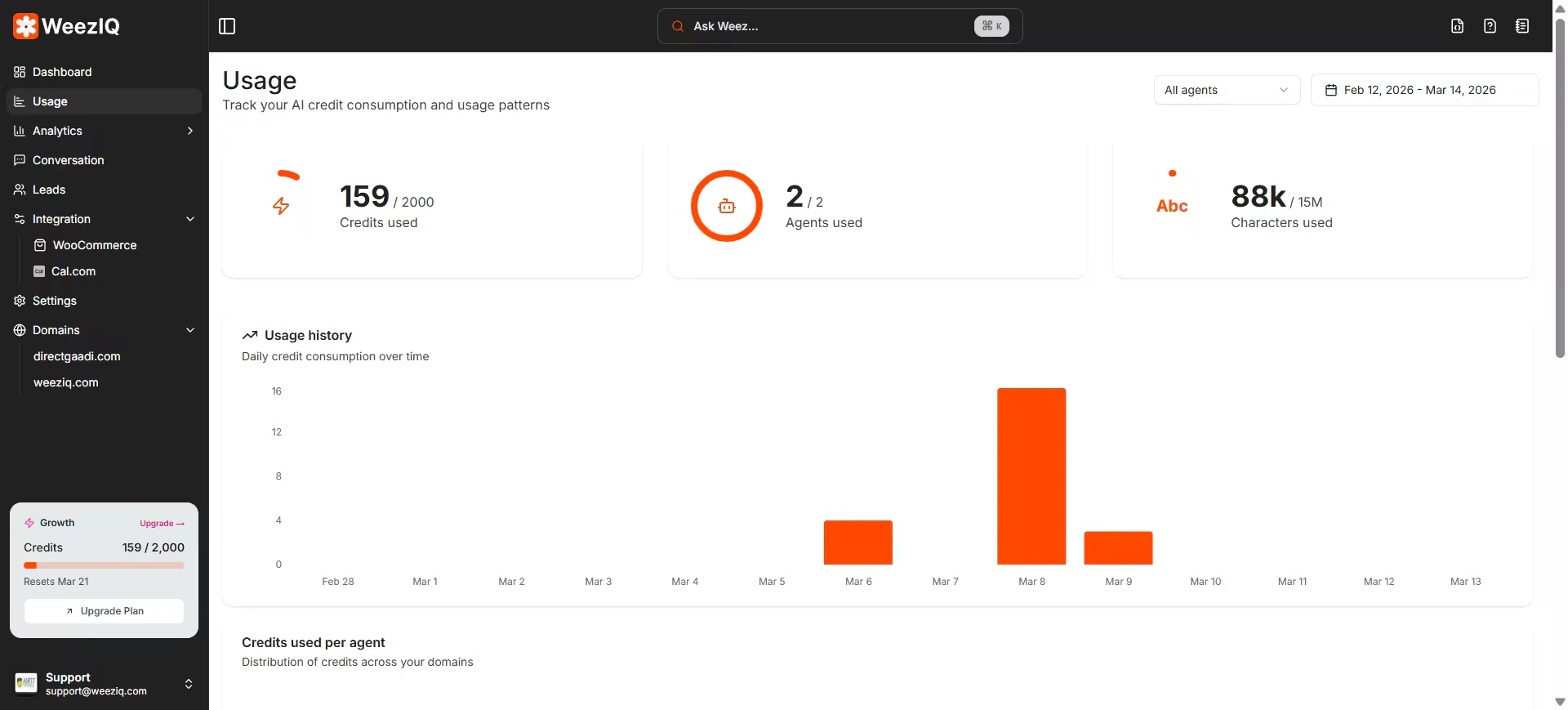
Overview Cards
At the top of the page, three circular progress indicators give you an instant snapshot of your current consumption.Credits Used
Shows how many AI credits you have consumed out of your plan’s monthly limit. Credits are consumed each time the chatbot generates a response.
Agents Used
Shows how many of your available domain (chatbot agent) slots are in use. Each domain counts as one agent.
Characters Used
Shows how many characters of knowledge base content you have stored out of your plan’s character limit. All URLs, files, and Q&A pairs contribute to this count.
42 / 60 credits). A circular progress ring fills as you approach the limit.
Filters
Two filters at the top right let you slice the usage data precisely:- Agent Filter: Narrow down data to a specific domain (chatbot). Defaults to “All agents” which aggregates across all your domains.
- Date Range Picker: Select any custom date range using the calendar picker. Defaults to the last 30 days.
The filters affect the usage history chart and the credits-per-agent breakdown. The knowledge base storage and domain character usage sections always show current totals, not filtered data.
Usage History Chart
A bar chart showing your daily AI credit consumption over the selected period. Each bar represents one day. This chart is useful for:- Spotting days with unusually high traffic or chatbot activity
- Correlating usage spikes with campaigns or product launches
- Identifying chatbots that may need rate limiting enabled
Credits Used Per Agent
A pie chart that breaks down total credit consumption by domain. Each slice represents one chatbot agent, with a color-coded legend on the right showing the domain name and exact credit count. If all your credits are being consumed by a single domain, this view makes it immediately visible so you can investigate traffic patterns or consider upgrading your plan.Knowledge Base Storage
This section shows how your character storage is distributed across the different types of content you have uploaded.
Each source type shows:
- The total number of items
- The total character count (displayed in thousands, e.g.,
42.3k chars) - Its percentage share of total storage
- A color-coded progress bar
Domains and Available Slots
The final section lists every domain in your account with its individual character usage.- Each domain shows how many characters of knowledge base content it holds.
- A color-coded progress bar indicates the severity of usage:
- Primary color — healthy usage (below 60%)
- Yellow — moderate usage (60–80%)
- Red — critical usage (above 80%)
- If you have unused domain slots, the footer of this section shows how many agent slots remain available.
Character usage per domain is calculated from all Knowledge Base content linked to that domain, including synced Shopify and WooCommerce products, crawled URLs, uploaded files, and Help Desk Q&A pairs.
Understanding AI Credits
Every time a visitor sends a message to your chatbot, the AI processes their query and generates a response. This process consumes one AI credit. Credits are:- Monthly and plan-based: They reset at the start of each billing period.
- Shared across all domains: Your credit pool covers all chatbots on your account.
- Not carried over: Unused credits do not roll over to the next month.
- Enabling rate limiting on your chatbots to reduce high-volume abuse.
- Upgrading to a higher plan with a larger monthly credit allowance.
- Reviewing your chatbot’s responses to ensure the AI is not being triggered unnecessarily (for example, by spam or bot traffic).