

Overview
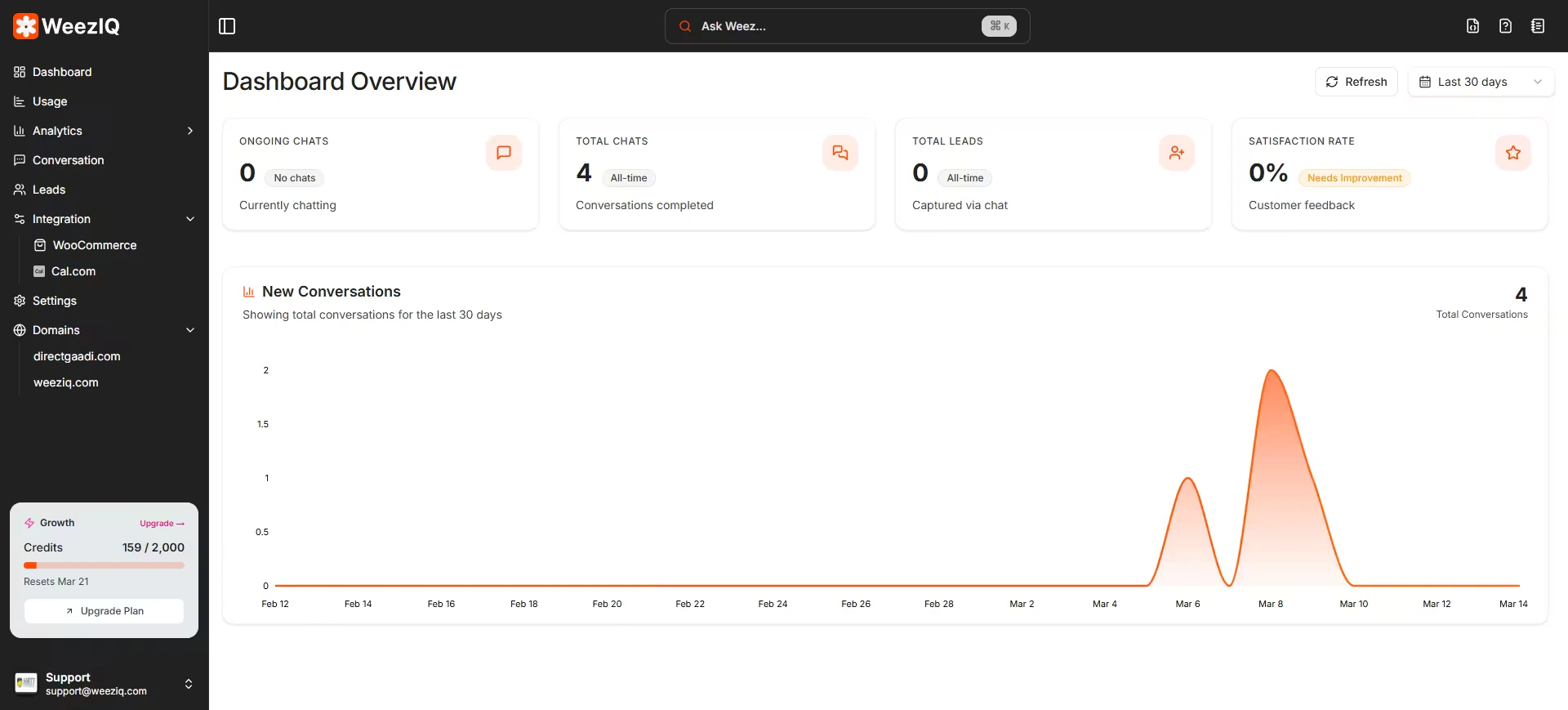
Stats Cards
Four stats cards sit at the top of the page, each representing a critical metric:Total Leads
The total number of visitors who submitted their contact information through the chat.
Ongoing Chats
The number of chat sessions that are currently active or were recently active.
Total Chats
The cumulative count of all chat conversations that have taken place.
Satisfaction Rate
The percentage of positive ratings given by users based on their chat experience.
New Conversations Chart
Below the stats cards is an area chart that visualizes the volume of new conversations over time. This chart helps you identify trends, like increased activity on certain days of the week or spikes after a marketing campaign. You can adjust the chart’s time range using the same filter at the top of the page.Usage Page
The Usage page, accessible from the sidebar, gives you a more detailed breakdown of your AI credit consumption.The Usage page tracks how many messages the AI has processed, which models were used, and how close you are to your plan’s monthly limits. This is especially useful for managing costs and deciding whether to upgrade your subscription tier.