

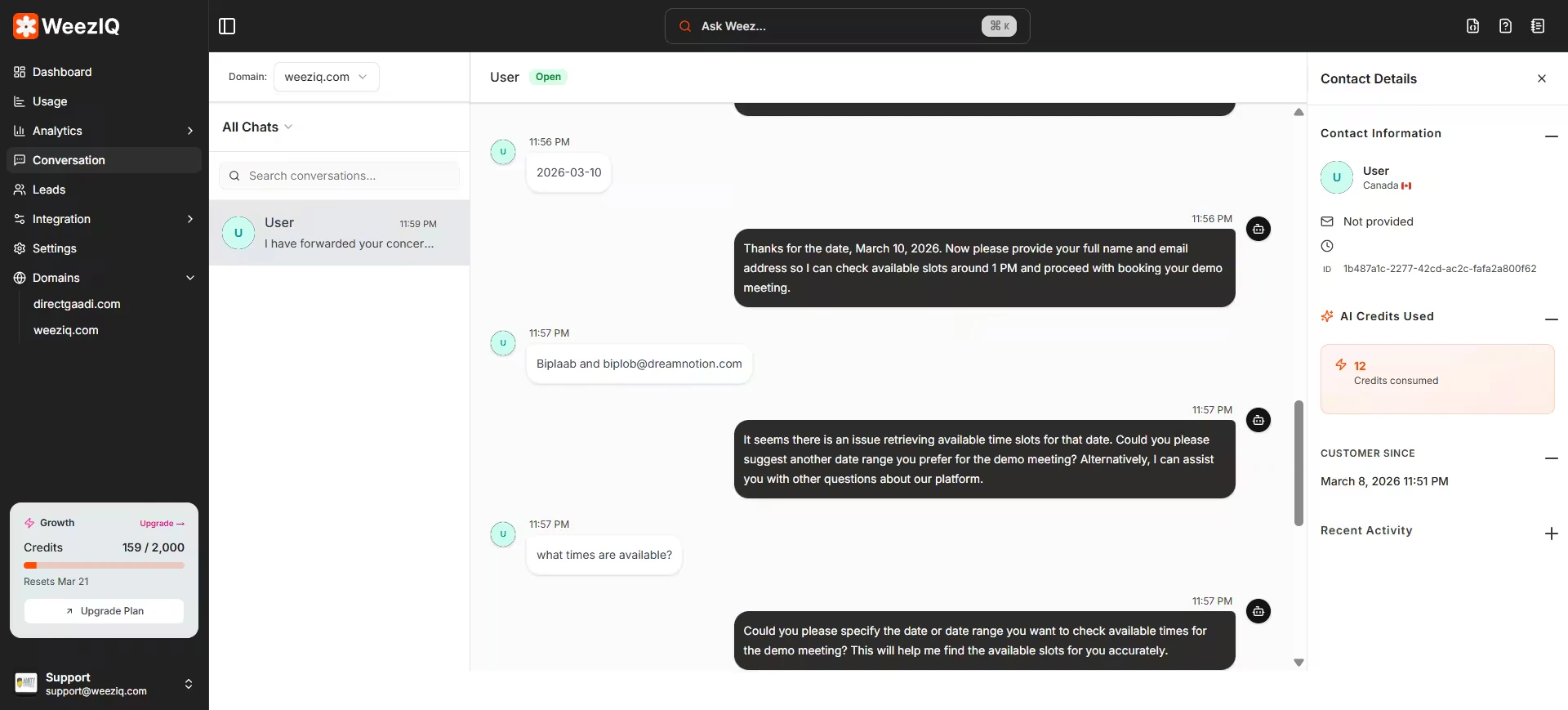
Layout
The Conversations page uses a split-pane layout:- Left Panel: A scrollable list of all chat sessions, organized by domain. Each entry shows the visitor’s name (if captured), the last message, and the timestamp.
- Right Panel: The full transcript of the selected conversation, showing both user messages and AI responses with timestamps.
Filtering and Search
By Domain
View conversations for a specific website using the domain selector.
By Status
Filter by All, Unread, or Expired conversations.
By Search
Search through conversations to find specific topics or messages.
Real-Time Updates
Conversations update in real time using WebSocket connections. If a visitor is actively chatting while you have the Conversations page open, you will see new messages appear instantly without refreshing.